Thai keywords, explained
Natural phrases the way sellers write them, each with a plain-English note. No Thai keyboard needed.
Now on the App Store · Free
Sellers in Thailand list their products in Thai. FarangFind turns what you want to buy into the Thai search words they actually use, then opens Shopee, Lazada or your favourite shopping site in one tap.
The problem
Search a Thai marketplace in English and you see a fraction of what's on sale. Most local listings are filed under a Thai name you would never guess. FarangFind gives you that name.
How it works
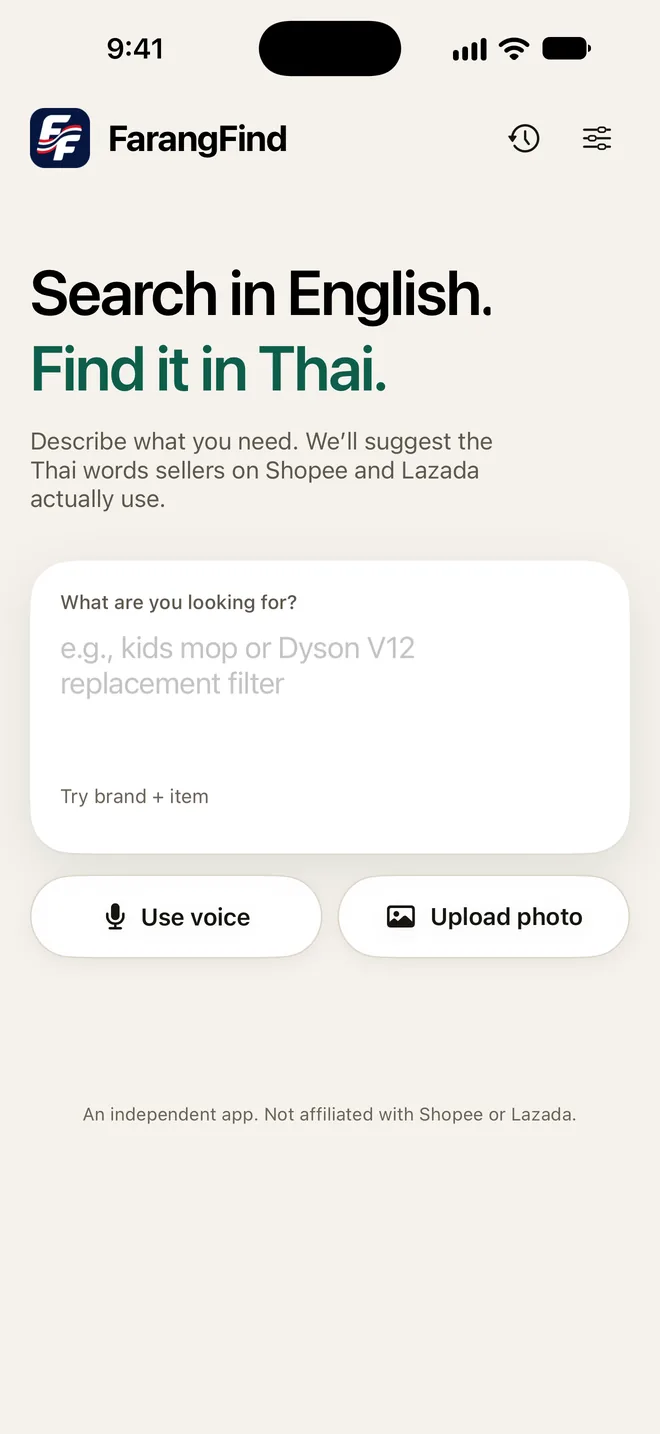
Type or say what you need. A brand and model works, and so does a plain description like “kids mop”.
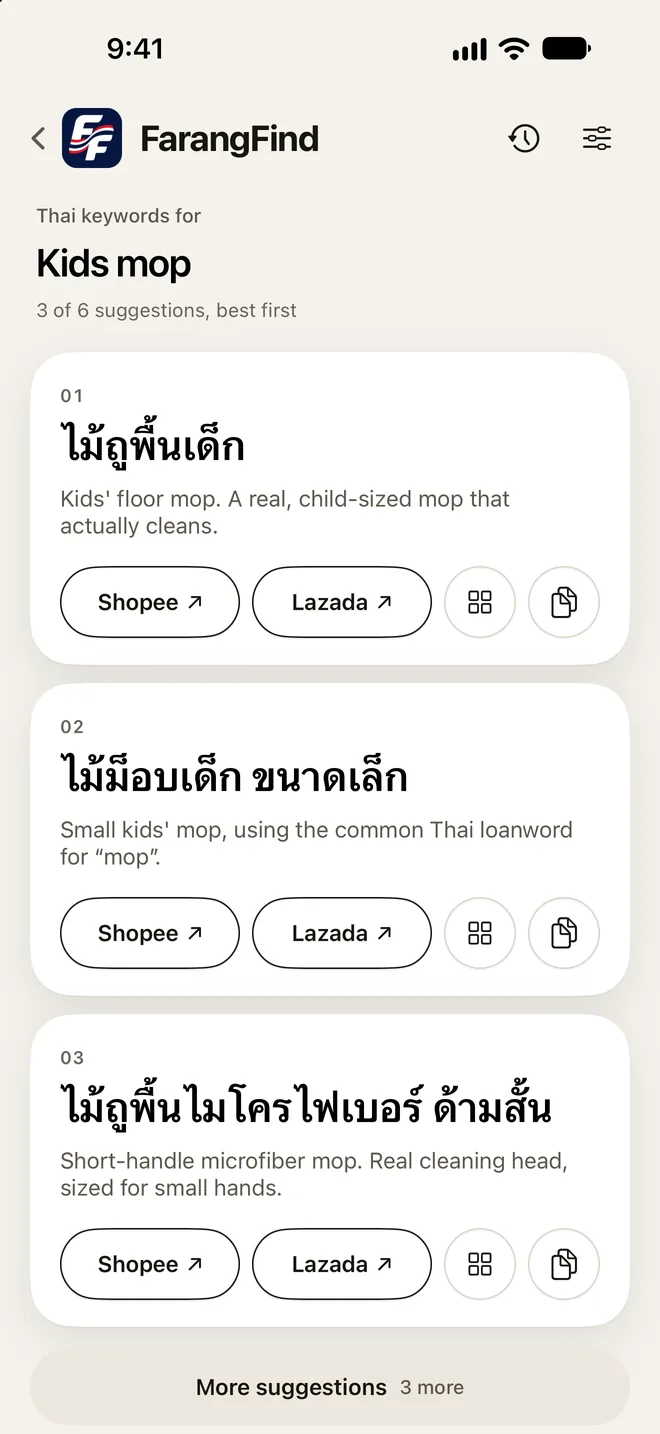
Ranked Thai search phrases, best first. Each one has a short English explanation, so you know exactly what you're searching for.
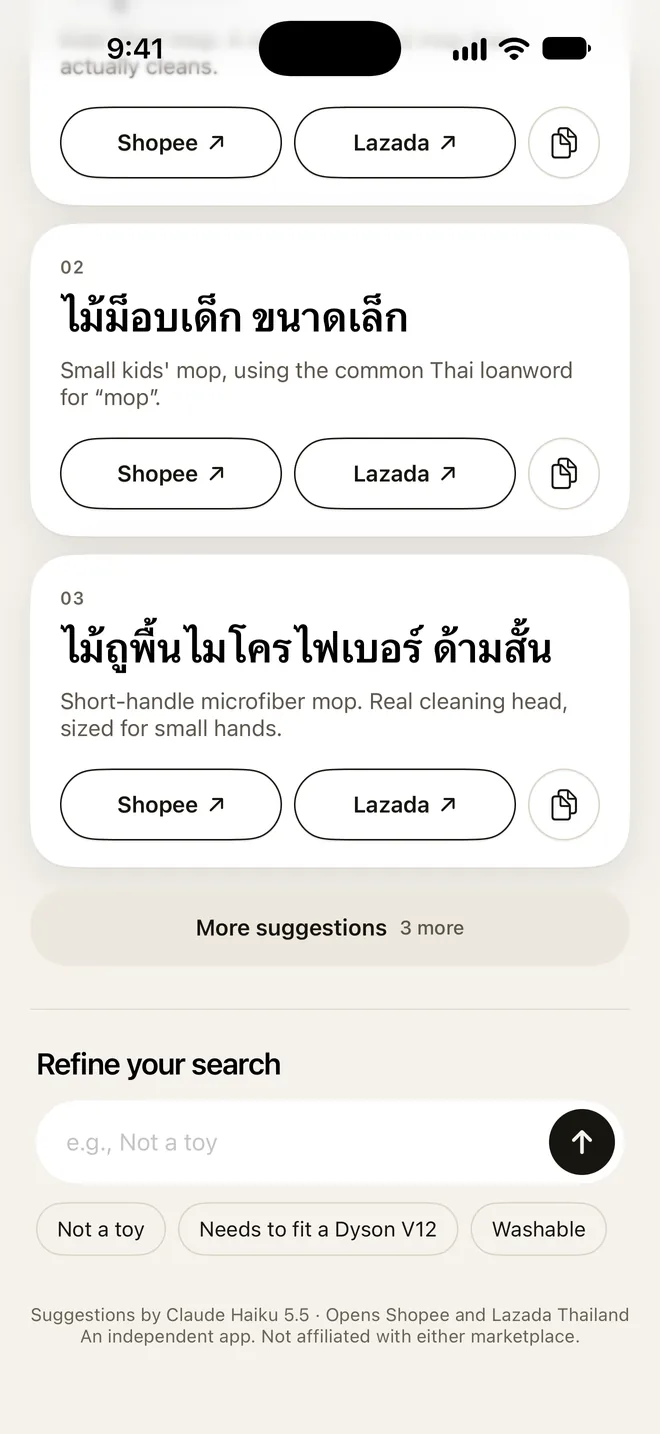
One tap on Shopee or Lazada opens its Thailand search with the phrase filled in, and the grid button opens all your other sites. Not quite right? Refine with “not a toy” or “washable”.
New in 1.2 · Shopping sites
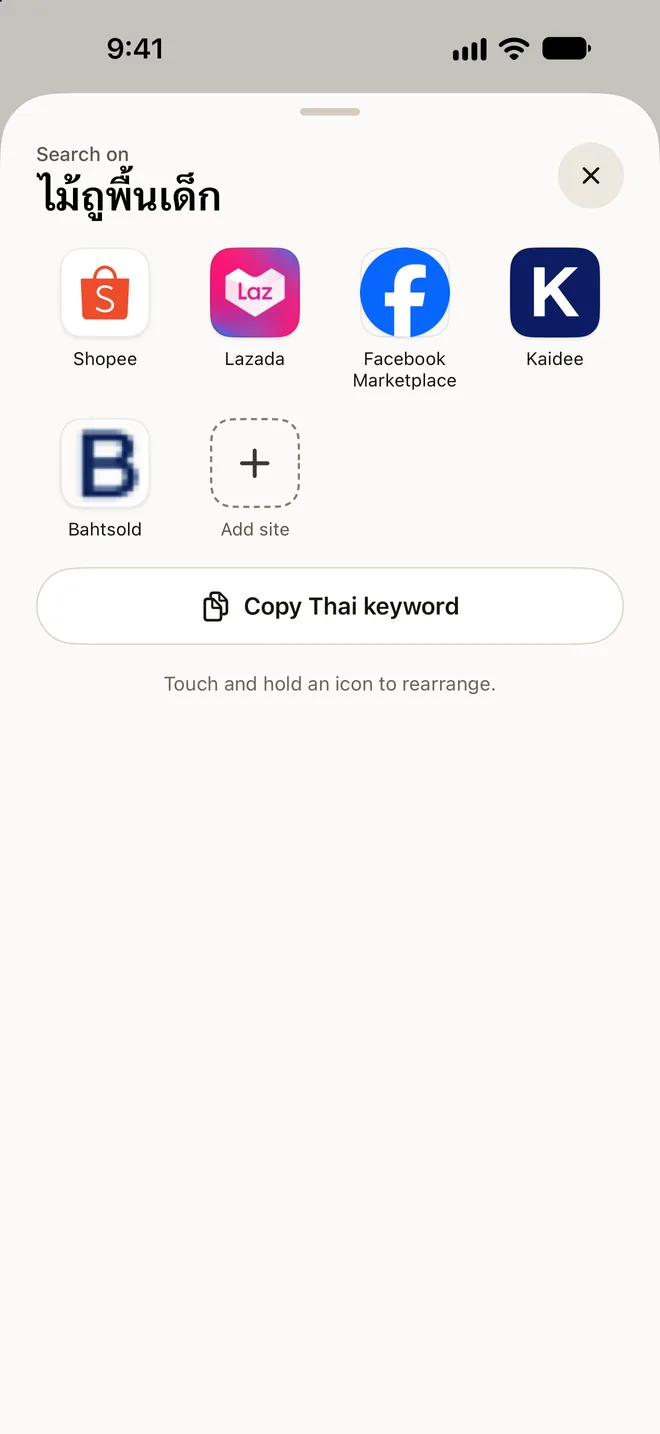
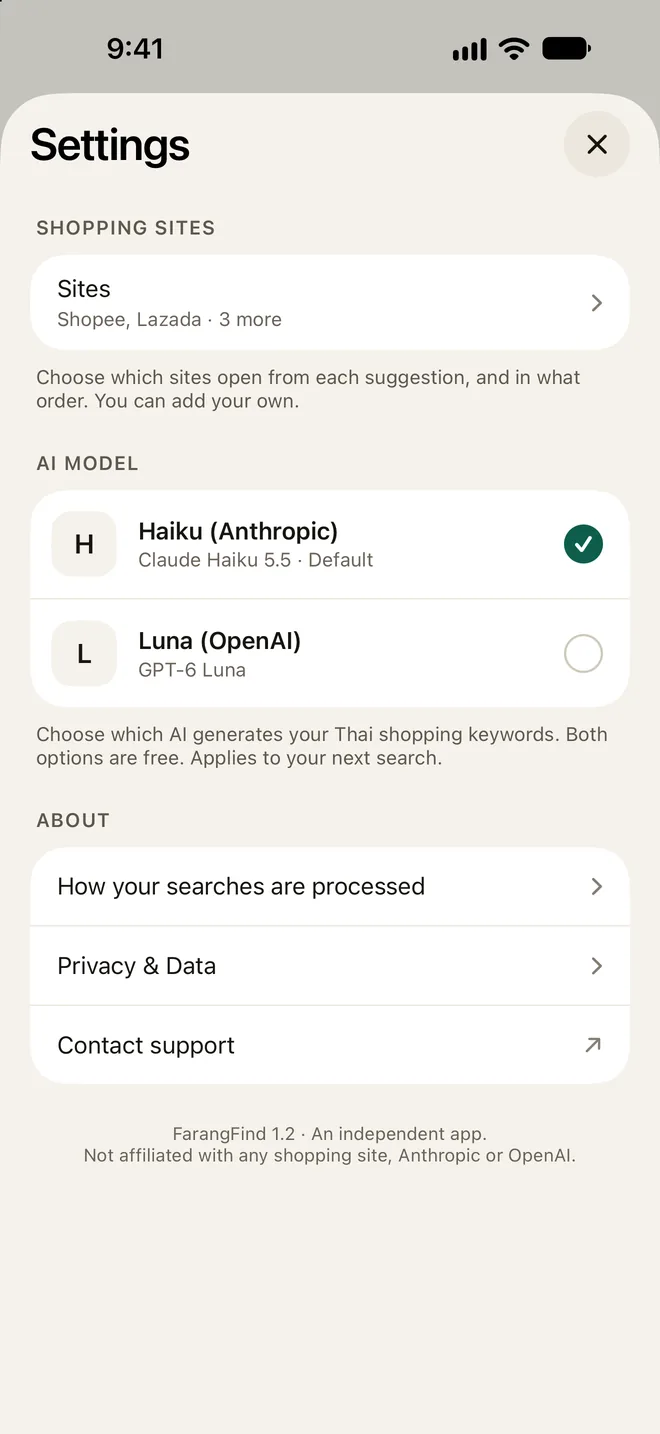
Every suggestion now opens more than Shopee and Lazada. Tap the grid button to search Facebook Marketplace, Kaidee or Bahtsold with the same Thai phrase, or add any shopping site you use.
Set it up in Settings › Shopping sites, or touch and hold an icon in the All sites sheet.
Your choice of AI
FarangFind doesn't lock you into one AI. Choose between Claude from Anthropic and GPT from OpenAI in Settings, and switch whenever you like. Both are included free, with no API key and no subscription.
Your choice applies from your next search. Results show which model wrote them.
Built for shopping in Thailand
Natural phrases the way sellers write them, each with a plain-English note. No Thai keyboard needed.
Shopee and Lazada buttons on every suggestion, plus Facebook Marketplace, Kaidee, Bahtsold and sites you add. Each opens in its app, or its website if the app isn't installed.
Speak instead of typing. Speech is transcribed on-device, and your audio is never uploaded.
Add a detail like “needs to fit a Dyson V12” and the suggestions update. Tap for more alternatives.
Past searches are saved on your iPhone, so you can reopen them even with no signal.
No account, no ads, no tracking. Delete your server data any time from the new Privacy & Data screen in Settings.
Yes. FarangFind is free, with no account, subscription or API key. Both AI models are included.
Claude Haiku by Anthropic is the default. You can switch to GPT-6 Luna by OpenAI under Settings › AI model, and switch back at any time.
No. It finds the right Thai search words and hands you over to the shopping site you pick, where you shop as usual.
Yes. Tap the grid button on any suggestion to search Facebook Marketplace, Kaidee or Bahtsold, or tap Add site and paste a shopping site's search page address. For sites you add, FarangFind records only the site's domain, never the address. Choose which two sites get buttons under Settings › Shopping sites.
Your text is sent over an encrypted connection to the AI model you chose so it can write Thai keywords. Voice audio never leaves your iPhone. You can clear your history or delete your server data any time in Settings › Privacy & Data. The privacy policy has the details.

Download FarangFind and search Thai shopping sites the way locals do.
Download on theApp Store